Hala AI x Kommo: Every Chat and Call Becomes a Kommo Lead, Automatically
Connect Kommo CRM to Hala AI: every WhatsApp, Instagram and phone conversation becomes a qualified Kommo lead, with contact, stage, notes, tags and follow-up tasks.
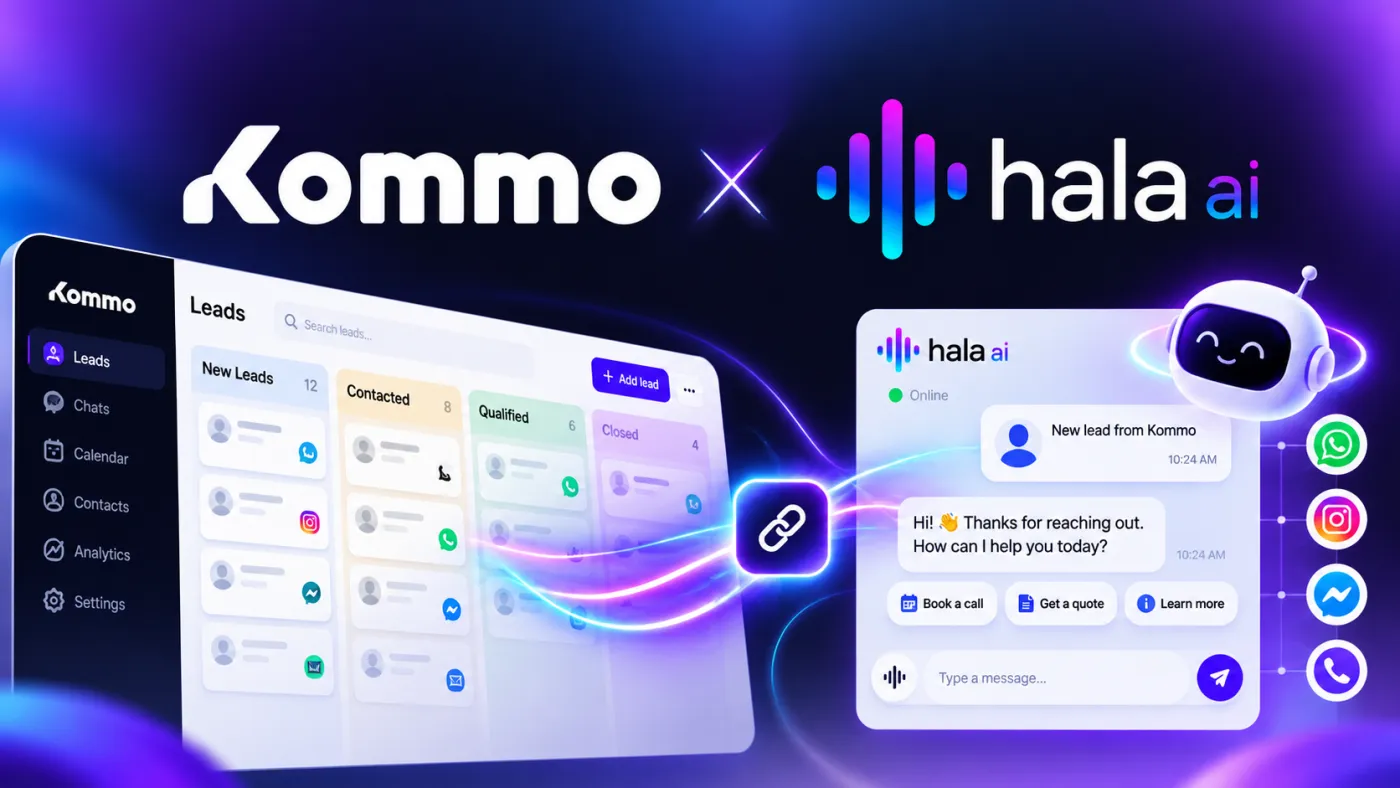

In short: Hala AI now connects to Kommo CRM. When Hala finishes a conversation with a customer on WhatsApp, Instagram, Messenger, your website or a phone call, it reads the conversation the way a sales rep would and logs it in Kommo for you: the contact, a lead in the pipeline stage you choose, and a note with the summary. Your own rules decide which conversations become leads, and can add tags, assign an owner and create a follow-up task. Nobody on your team has to type a thing.
Your sales team lives in Kommo.
Your customers live on WhatsApp.
And somewhere between the two, someone on your team is copying and pasting.
Hala AI now closes that gap. The conversation happens with Hala, and the lead appears in Kommo, already qualified, already in the right stage, already assigned.
The problem: great conversations, empty CRM
Hala answers your customers in seconds, day and night. It answers prices, qualifies interest and books appointments, so every enquiry gets captured, even at 11 pm.
But a conversation that never reaches your CRM is a lead your sales team cannot see.
Here is what usually happens without an integration:
- The chat ends late at night and nobody logs it.
- Someone logs it the next day with just a first name and the word "interested".
- The same phone number gets saved twice, as two different contacts.
- A hot lead sits in "New" for three days because nobody knew it was hot.
A CRM is only as good as the data inside it, and manual entry is the first thing to slip on a busy day.
The fix is not asking your team to log more carefully. It is taking the logging off their plate entirely.
What Hala puts in Kommo
When a conversation is finished, Hala reads it and pulls out what a good rep would write down. Then it builds the record in Kommo.
The contact
Name, phone number, email and company. Before creating anything, Hala looks for an existing Kommo contact with the same phone number or email, so a returning customer is not saved twice. If the contact exists but is missing details Hala has learned, like an email address, it fills the gap.
The lead
A lead in the pipeline and stage you pick, with a readable name such as "Rania - Teeth whitening" instead of "Lead #4812". If the customer already has an open lead, Hala can add to it instead of opening a new one. You can also have the budget the customer mentioned set as the lead's sale value.
The details a rep would log
- What the customer is interested in
- Their intent: pricing, booking, purchase, support or complaint
- Budget and timeline, when they mention them
- How warm they are: hot, warm or cold
- The recommended next step
- A short summary of the conversation
A note with the conversation
Every lead gets a note with the summary and, if you want it, the full transcript, plus a link straight back to the conversation in Hala. Your rep opens the lead and has the whole story in ten seconds.
Tags
Leads are tagged "Hala AI" and with the channel they came from, so you can filter, report and build Kommo automations on top of them.
Hala only records what came up in the conversation. If a customer never gave an email, the email field stays empty. It does not guess contact details.
You decide which conversations become leads
Not every "hi" is a lead. A customer asking for your opening hours does not need a deal in your pipeline.
So the Kommo integration runs on rules you set up in the Hala dashboard, in plain language:
When something happens, and your conditions are true, then do this in Kommo.
When
- A chat finishes
- A chat is handed to your team
- A call finishes
- A call is handed to your team
Only if
- The customer sent at least a certain number of messages, or the call lasted at least a certain number of seconds
- The lead is hot, warm or cold
- The intent is pricing, booking, purchase, support or complaint
- The conversation mentions keywords you choose
- Hala has the customer's phone number or email
Then
- Put the lead in a specific pipeline and stage
- If the customer already has an open lead: add a note to it, move it to the new stage, or create a new lead
- Add tags
- Assign it to a team member
- Create a follow-up task, due within the number of hours you set
Rules are checked in order, and the first one that matches wins. A real setup might look like this:
When a chat is handed to the team and the lead is hot, then put it in "Ready to buy", assign it to Karim, tag it "VIP" and create a task to call back within 1 hour.
When a chat finishes and the intent is support, then add a note to the customer's open lead, without opening a new one.
When a call finishes and it lasted over 60 seconds, then create a lead in "New enquiry" and assign it to the sales team lead.
Conversations handed to your team are sent to Kommo straight away, so the person picking it up has the context immediately. Finished chats are sent once the conversation has gone quiet (15 minutes by default, and adjustable), so Hala logs the whole conversation instead of half of it.
Fill your own Kommo fields
Every Kommo account is set up differently. You have your own custom fields, your own dropdowns, your own way of tracking where a lead came from.
Hala fits into that setup instead of asking you to change it. You map Hala's values onto your Kommo fields, on leads and on contacts:
- The customer's budget into your "Budget" field
- The channel into your "Lead source" field
- The service they asked about into your "Service" dropdown, where Hala picks the matching option
You can also ask your own question of every conversation, such as "Which branch did they ask about?" or "Do they already have insurance?", and Hala writes the answer into the field you choose.
Existing data is respected. On records that already exist, Hala only fills fields that are empty, unless you allow it to overwrite them.
Try it before it touches your CRM
Nobody wants to test automation on their live pipeline.
Before you switch a rule on, you can preview it on a recent real conversation. Hala shows exactly what it would do in Kommo, which contact it would match, which stage the lead would land in and which fields it would fill, without writing anything.
Once it is live, an activity log shows every conversation Hala looked at, which rule matched, and what it did in Kommo, or why it skipped it.
What it looks like in practice
A customer messages a dental clinic on WhatsApp at 9:40 pm:
Customer: Hi, how much is teeth whitening?
Hala: Hi! In-clinic whitening is $250, and it takes about an hour. Would you like to book a visit?
Customer: Yes, Saturday if possible. I'm Rania.
Hala: Saturday works, Rania. Our team will confirm your time first thing tomorrow morning.
The clinic is closed. Nobody is at the desk.
By the time the team arrives the next morning, Kommo already has:
- A contact for Rania, with her WhatsApp number
- A lead called "Rania - Teeth whitening" in the "Booking requested" stage, marked hot
- A note with the summary: interested in whitening, asked about price, wants Saturday
- Tags "Hala AI" and "WhatsApp"
- A follow-up task for the front desk: "Call to confirm the appointment"
No one copied anything. The lead was ready before the first coffee.
Every channel, one pipeline
Customers do not all use the same channel, but your pipeline should not care.
Conversations Hala has on WhatsApp, Instagram, Messenger and your website can all feed the same Kommo pipeline, each lead tagged with the channel it came from.
Phone calls do too. When Hala answers a call as your AI voice agent, the call is transcribed, qualified and logged in Kommo the same way as a chat. Calls that used to leave nothing behind but a missed-call notification now leave a lead with a summary.
Arabic, English and everything in between
Customers across the region do not write in textbook Arabic. They write in Lebanese, Gulf or Egyptian dialect, in Arabizi, or in a mix of Arabic and English in the same message, and they send voice notes.
Hala understands all of it. Whatever language the conversation happened in, Kommo gets a clean record your team can act on. For businesses in Lebanon, the UAE, Saudi Arabia and the wider region, that means the CRM finally reflects how customers actually talk.
Connect Kommo in a few minutes
No developer needed. An admin of your Kommo account can set it up.
Step 1: Create a private integration in Kommo
In Kommo, go to Settings → Integrations and click Create integration. Name it "Hala AI", keep access set to All, and save.
Step 2: Generate a long-lived token
Open the integration's Keys and scopes tab and click Generate long-lived token. Choose a long expiry and copy the token right away, as Kommo only shows it once.
Step 3: Connect it in Hala
In your Hala dashboard, open Integrations → Kommo. Paste your Kommo address (yourcompany.kommo.com) and the token. Hala checks the connection before anything is saved.
Step 4: Set your pipeline, rules and fields
Pick the default pipeline and stage, add your rules, map your fields and preview the result on a recent conversation. When it looks right, switch it on.
Who this is for
Any business that sells through conversations and runs its pipeline in Kommo.
- Real estate. Every property enquiry becomes a lead with budget, area and timeline filled in. See AI for real estate.
- Clinics. Treatment enquiries and booking requests land in the right stage, ready for the front desk. See AI for clinics.
- Travel agencies. Destination, dates and number of travellers are logged before an agent picks up the lead. See AI for travel agencies.
- E-commerce and retail. Purchase intent is separated from support questions automatically. See AI for e-commerce.
- Education and training. Course enquiries are qualified and assigned to the right advisor.
If your team already uses Kommo to manage WhatsApp sales, Hala becomes the first responder that never sleeps, and Kommo stays the place where your team closes.
Hala and Kommo: who does what
Kommo is where your team manages the pipeline: stages, deals, tasks and reporting.
Hala is the AI agent that talks to the customer first, on every channel, at any hour. It answers their questions, works out what they need and how ready they are to buy, then hands Kommo a lead that is already qualified.
That is what a lead qualification agent should do: your salespeople spend their time on the leads worth calling, not on data entry.
One of several ways to connect your business
Kommo joins a growing list of Hala integrations:
- Zoho CRM, for teams running their pipeline in Zoho
- Odoo, so Hala can answer from live orders, stock and invoices
- Shopify, for online store catalogs
- A custom API, for businesses with their own systems
You can see them all on the integrations page.
FAQ
What does the Hala AI Kommo integration do?
It sends the conversations Hala AI has with your customers into Kommo CRM automatically. After a chat or call, Hala finds or creates the contact, creates or updates a lead in the pipeline stage you choose, and adds a note with a summary. Depending on your rules, it can also add tags, assign an owner, create a follow-up task and fill your custom fields.
Which conversations get sent to Kommo?
The ones your rules allow. You can send every finished chat and call, or only conversations handed to your team, hot leads, certain intents like pricing or booking, conversations that mention specific keywords, or conversations where Hala collected a phone number or email.
Will Hala create duplicate contacts in Kommo?
No. Before creating a contact, Hala searches Kommo for an existing one with the same phone number or email. If the customer already has an open lead, you choose whether Hala adds a note to it, moves it to a new stage or creates a new lead.
Does it work with phone calls?
Yes. Calls answered by Hala's AI voice agent are transcribed, qualified and logged in Kommo just like chats, with their own rules, for example only calls longer than a minute.
Can Hala fill my custom Kommo fields?
Yes. You can map Hala's values, such as budget, timeline, interest, intent, lead temperature and channel, onto your own lead and contact fields, including dropdowns. You can also ask your own question of each conversation and have the answer written into a field.
Does it work with amoCRM?
Yes. Kommo was previously called amoCRM, and Hala connects to both kommo.com and amoCRM account addresses.
Is it secure to connect Kommo to Hala AI?
Hala connects through a private integration token that you create in your own Kommo account and can revoke at any time. The token is stored encrypted and is never shown again after you save it. Hala does not delete anything in Kommo, and on existing records it only fills empty fields unless you allow it to overwrite them.
Does it work in Arabic?
Yes. Hala understands and replies in spoken Arabic dialects, Arabizi and English, including voice notes, and turns those conversations into clean Kommo records. See Can Hala AI Understand Voice Notes in Different Accents?.
Connect Kommo to Hala AI
Your team already works in Kommo.
Let every conversation get there on its own.
Book a demo to see Hala qualify a real conversation and log it in Kommo, or see pricing.
Related articles